Let’s be honest for a second.
Most of us have been there. You type out what feels like a crystal clear prompt to an AI, and the response comes back weirdly formal, totally off tone, or missing the point entirely. You try again. Still not right. By the third attempt, you’re practically negotiating with a chat bot like it’s a stubborn teenager.
Frustrating, right?
Here’s the thing most people don’t realize : AI models aren’t mind readers. They’re incredible pattern matchers. And one of the simplest, most underrated ways to get them to “click” with what you actually want is something called few-shot prompting.
Sounds technical. It’s not. In fact, it’s something you already do every day when you teach a coworker or show a friend how you like things done.
What Is Few-Shot Prompting? (In Plain English)
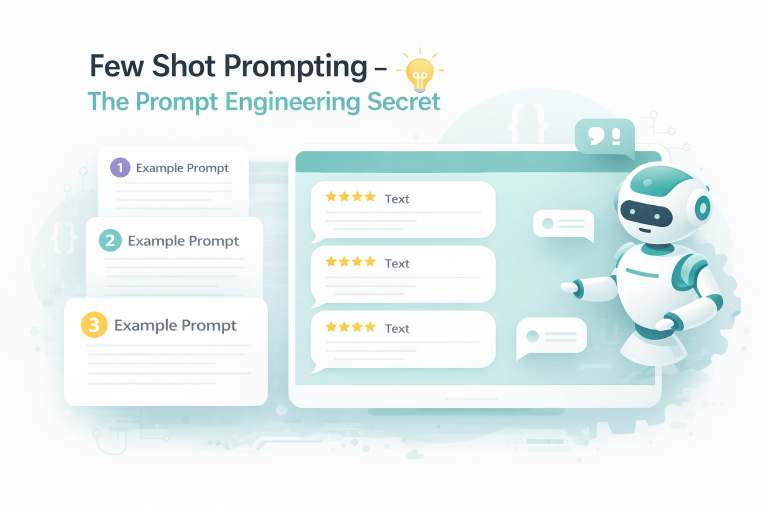
Few-shot prompting is when you give an AI a handful of real examples inside your prompt to guide its response — instead of just giving a single instruction.
Think of it like this:
- Zero-shot = “Write a funny product description for a coffee mug.”
(AI guesses. Might be great. Might be painfully generic.) - Few-shot = “Here are two examples of funny product descriptions I love. Now write one for a coffee mug in the same style.”
(AI now has a mini “style guide” to follow.)
That’s it. A few examples = few shots. The “shots” are just the number of examples you provide.
Why It Works So Darn Well (And Why Most People Ignore It)
Here’s a quiet truth: AI models are trained on everything — formal reports, Reddit rants, poetry, legal jargon, and text message typos. When you give them no examples, they roll the dice on which style to use.
But when you give 3 to 5 examples?
You’ve just handed the AI a custom filter. It stops guessing and starts mirroring.
I’ve seen marketers turn robotic blog intros into warm, conversational openers with just two rewritten examples. I’ve seen developers get cleaner code comments by showing the AI their preferred formatting. Even students use few-shot prompting to turn dry textbook summaries into explanations that sound like a helpful older sibling.
A Real-World Example (So You Can Steal It)
Scenario: You want an AI to classify customer feedback as “urgent,” “normal,” or “thanks-only.”
Zero-shot prompt (weak):
“Classify this feedback: ‘My order is two weeks late.’”
The AI might get it right. Or it might overthink it.
Few-shot prompt (strong):
“Classify each feedback message as ‘urgent,’ ‘normal,’ or ‘thanks-only.’ Here are examples:
- ‘I love this product so much!!’ → thanks-only
- ‘The box arrived damaged but item is fine’ → normal
- ‘I was charged twice and need a refund today’ → urgent
Now classify: ‘My order is two weeks late.’”
See what happened? You didn’t just tell the AI the rules — you showed it. That’s the secret sauce.
3 Quick Tips to Make Few-Shot Prompting Work for You
1. Use 3–5 examples, not 20.
More isn’t always better. After about 5–6 examples, the AI starts seeing diminishing returns (and your prompt gets bloated).
2. Make your examples slightly different from each other.
Show variety. If every example is about pizza, don’t be surprised when the AI struggles with a question about cars.
3. Put the real request at the end.
Always follow your examples with a clear “Now do this one:” line. Don’t bury the lede.
The Bottom Line (Because You Actually Read This Far)
Stop treating AI like a search engine. Start treating it like an eager intern who works fast but needs a few solid examples to copy.
Few-shot prompting takes maybe 30 extra seconds per prompt. That tiny investment pays back in fewer re-dos, less frustration, and answers that actually feel like you wrote them.
Try it today. Pick a prompt you’d normally send. Add two or three examples of the right kind of answer. Watch the magic happen.