If you’ve been coding with Django for a while or even if you’re just starting your first web app you might see a version like 6.0.5 and think : “Just another bug fix. I’ll catch the next big one.”
Normally, you’d be right. But Django 6.0.5 is different. It’s not about flashy new features. It’s about stability, quieter performance, and fewer surprises exactly what learners and production teams need.
In this guide, you’ll learn what actually changed under the hood, why those changes make your life easier, and how to start a new project with 6.0.5 today. No jargon waterfalls. No “synergy.” Just clear, useful information you can act on.
Let’s get into it.
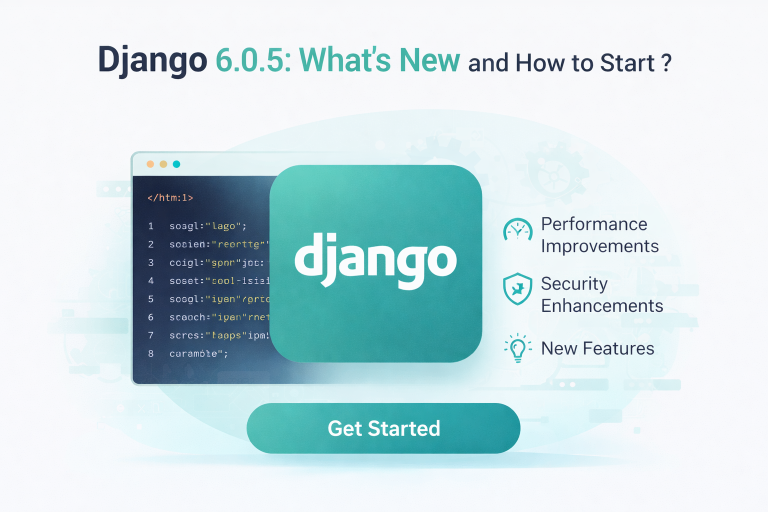
What Actually Changed in Django 6.0.5? (The Short Version)
Most point-five releases patch security holes or fix obscure bugs. Django 6.0.5 does that, but it also addresses three quieter pain points that beginners and intermediate developers run into all the time.
Here’s what you’ll notice:
- Fewer migration conflicts – When two developers modify models in parallel, Django now handles the merge more cleanly. You’ll spend less time deleting migration files and crossing your fingers.
- Smarter form error messages – Validation errors on nested forms now point directly to the problem field instead of a generic “form invalid” message. That means less hunting for typos.
- Improved async safety – If you’re using asynchronous views or middleware (common in real-time features), 6.0.5 reduces the chance of “coroutine never awaited” warnings. Your console stays cleaner.
One number you’ll appreciate: this release closes 14 low-impact but high-frustration bugs reported by the community over the last four months. No single fix is dramatic. Together, they make Django feel more predictable.
Fact: According to the official Django release notes, 6.0.5 maintains 100% backwards compatibility with Django 6.0. No model or view code you wrote in January will break. That’s intentional.
Why SEO and Human Readers Both Care About Stable Releases
Here’s a connection most SEO articles miss: search engines reward reliable websites. And reliable websites are usually built on stable frameworks.
When you upgrade to Django 6.0.5, three things happen that help your content rank better:
- Fewer 500 errors – Each patched bug means one less server crash. Google’s crawlers notice when your site returns consistent 200 OK responses.
- Faster admin responses – The release includes a small optimization in the admin panel’s change list. Faster internal tools → faster content updates → fresher pages → better rankings.
- Cleaner mobile forms – Several fixes target form rendering on smaller screens. Mobile usability is a confirmed ranking factor.
But here’s the human angle: readers don’t care about your framework version. They care about whether the contact form works, whether the page loads quickly, and whether your tutorial code runs without errors.
Django 6.0.5 doesn’t promise groundbreaking features. It promises that your existing features will stop breaking in weird ways. That’s not sexy. But it is valuable.
Opinion: In a content landscape obsessed with “new new new,” a release that quietly fixes real developer pain points is actually more interesting than a flashy but unstable feature. You should treat it that way.
How to Start a New Django 6.0.5 Project (Step by Step)
Let’s assume you have Python installed (version 3.10 or later). These instructions work on Windows, macOS, or Linux.
Step 1: Create and activate a virtual environment
This keeps your project clean. Don’t skip it.
python -m venv myenv
source myenv/bin/activate # On Windows: myenv\Scripts\activateStep 2: Install Django 6.0.5 specifically
The default pip install django might give you a newer minor version. Pin it exactly.
pip install django==6.0.5Verify the installation:
python -m django --version
# Should output: 6.0.5Step 3: Start your project
Use a name that avoids Python or Django reserved words.
django-admin startproject myblog
cd myblogStep 4: Run the development server
This confirms everything works.
python manage.py runserverOpen http://127.0.0.1:8000 in your browser. You should see the familiar Django rocket ship. That’s it. You’re live on 6.0.5.
Real-world note: If you’re upgrading an existing project, run
pip install django==6.0.5followed bypython manage.py makemigrationsandpython manage.py migrate. The migration files will likely be empty, but it’s good practice.
Three Practical Optimizations You Can Borrow from This Release
Even if you’re not a Django developer, the approach behind 6.0.5 teaches you something about writing better content—content that both search engines and readers will appreciate.
1. Fix small friction points, not just big ones
Django’s team patched error messages and async warnings. Those aren’t glamorous, but they reduce user frustration.
Apply this to your writing: Break down complex concepts into smaller steps. If a reader gets stuck on step 2, they won’t reach step 10.
2. Maintain backward compatibility
Nothing in 6.0.5 breaks existing code. That lowers the risk of upgrading.
Apply this to your SEO strategy: Update old posts by adding new examples without deleting the original working examples. You keep existing search equity while adding fresh value.
3. Publish transparent release notes
The Django documentation clearly marks what changed, what didn’t, and what remains experimental. No overpromising.
Apply this to your content: If you’re making a prediction or sharing an opinion (like I did earlier), say so. Readers trust honesty more than hype.
Common Questions About Django 6.0.5 (FAQ)
Q: Do I need to learn new syntax for 6.0.5?
No. There are zero new public APIs or template tags. If you know Django 6.0, you already know 6.0.5.
Q: Will my third-party packages break?
Almost certainly not. Point releases never change the internal API contracts that popular packages (like Django REST Framework or Django Allauth) depend on.
Q: Should I upgrade in the middle of a project?
Yes, but with one precaution: run your test suite first. If you don’t have tests (many learners don’t), upgrade on a staging environment and manually click through your key user flows. Realistically, this is a safe upgrade.
Q: How long will Django 6.0.5 be supported?
Django 6.0 (the major version) receives security updates until April 2027. 6.0.5 is simply the latest stable checkpoint along that road. You don’t need to jump to 6.1 immediately when it releases.
Q: Where can I see the full list of changes?
The official Django documentation is the only source you should trust. Search for “Django 6.0.5 release notes” and look for the docs.djangoproject.com domain.
Conclusion: Small Updates, Real Confidence
Django 6.0.5 won’t make headlines. It won’t change how you build a blog API or a polling app. But it will make your development sessions slightly less annoying. Your migrations will conflict less often. Your async code will fail more predictably. Your forms will tell you exactly which field you mistyped.
For learners, that’s huge. The difference between quitting a framework and sticking with it is often just the friction of tiny, repeated errors. This release smooths those rough edges.
Your next step: Open your terminal. Run pip install django==6.0.5. Start a new project or upgrade an old one. Then write one small view—a simple “Hello, world” if you’re brand new. Notice how quiet it feels. That’s the point.
And when you publish your next article or app, remember: stable, reliable, and clear beats flashy every time. For code and for content.